

The real battle isn't happening in the heads of AI enthusiasts. It's happening inside companies, where specialists and managers are scratching their heads over artificial intelligence. Most people jumped on ChatGPT or a similar tool, and here's the uncomfortable truth: that's not enough. The reason is a lack of context. And that's exactly what this article is about: how to build a context layer for AI agents in your company, and everything you need to know to get started.
The old way vs. the new way of working
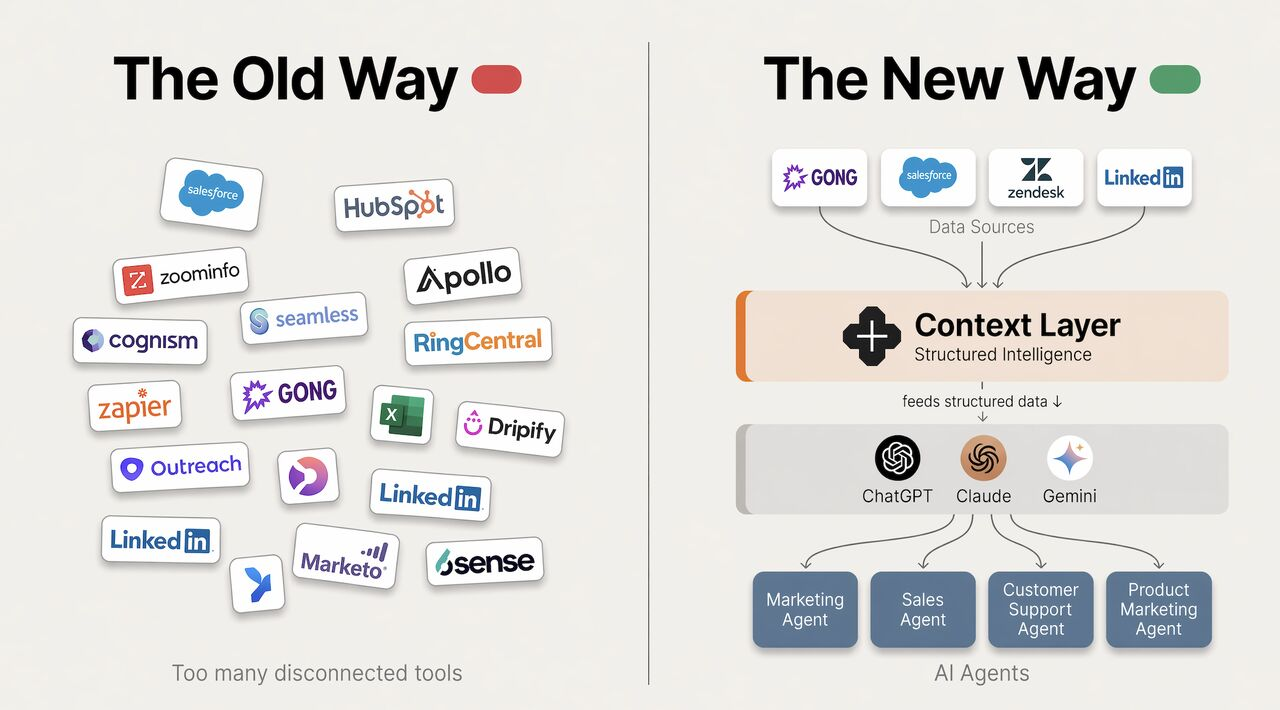
Meet Pepík, the Czech everyman (think "average Joe"). He gets to work in the morning, opens his task manager, a CRM in the next tab, and Outlook in a third. Separate tools by design. Five or ten open tabs in Chrome. And when Pepík needs to build a report or an analysis, it's an hour of clicking and copy-pasting between windows.
Now picture a different scene. Pepík wakes up, sits down at his computer, and all of those tools are connected through APIs or MCP (more on that in a second). Instead of clicking, he talks the task over with AI. He writes prompts like: "Prepare my report for last week." And voilà, the report is done, because the AI can see across all of his systems at once.
Sounds like sci-fi? It's today's reality, and tech companies are stepping on the gas to build their own context layer.
What is a context layer good for?
Why should you care? Because instead of copying information from one window to another (or handing the task to a colleague), you plug your systems directly into AI. You save time, you pull real analysis out of unstructured data, and, maybe most importantly, you build memory for future projects. Work you do once stays in the system, and next time you build on top of it.
So what exactly is a context layer?
A context layer is the middle layer that feeds models like GPT or Claude everything they need to know about your company or project. Think of it as a bridge between your applications and the AI itself. (If you've come across the term "context engineering", this is what it looks like in practice.)
MindStudio describes the concept nicely. Expressed as a formula:
Context layer = role + data + memory + tools + goal
What does that mean in practice? Back to Pepík:
- Role: who I am and what I do. (Pepík, marketer at Easy8.)
- Data: what I work with. (Say, a BigQuery database.)
- Memory: what I've already worked through with AI, project context, lessons learned. (Past campaigns, the brief, what worked and what didn't.)
- Tools: what the AI is allowed to use. (MCP connectors for Microsoft 365, GA4...)
- Goal: what the output should be. (Report format, the definition of "done".)
Only when you have all five pieces does AI start producing something that makes sense. A brilliant model without context is like a colleague on their first day at work. A genius, but they have no idea where anything is.
The context layer in practice: three examples
Marketing
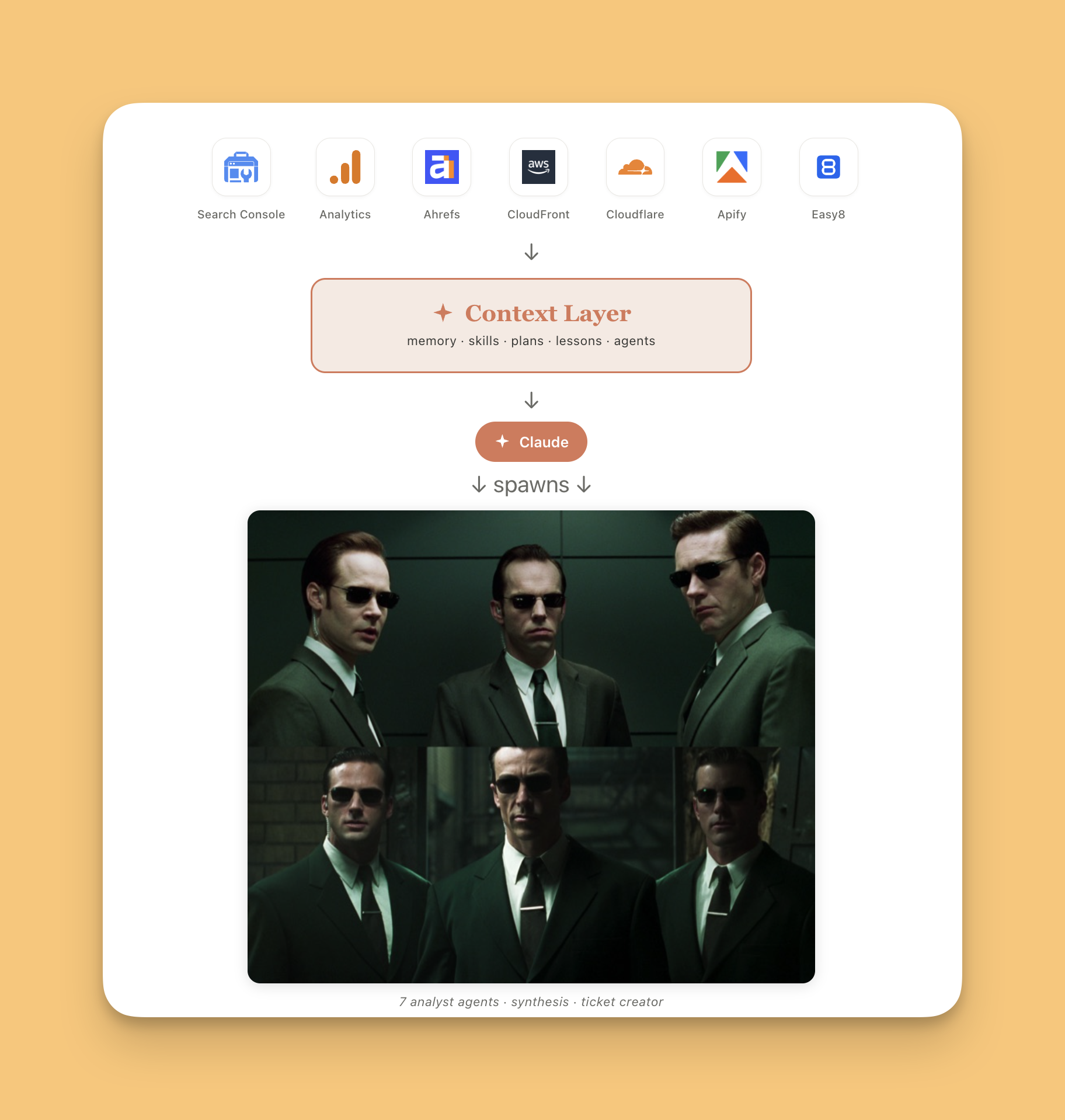
A typical day for a marketer or marketing manager: watching how website traffic and conversions are doing. And when the numbers look off, you dig into the other tools. GA4, Google Search Console, Ahrefs, Semrush, AWS, Cloudflare, Apify. Every single one of them can be connected via MCP. Then you send a specialized agent into each tool (in parallel, if you like), set the goal of the analysis, and instead of two hours of clicking you get a report that would otherwise eat half a day.
Sales
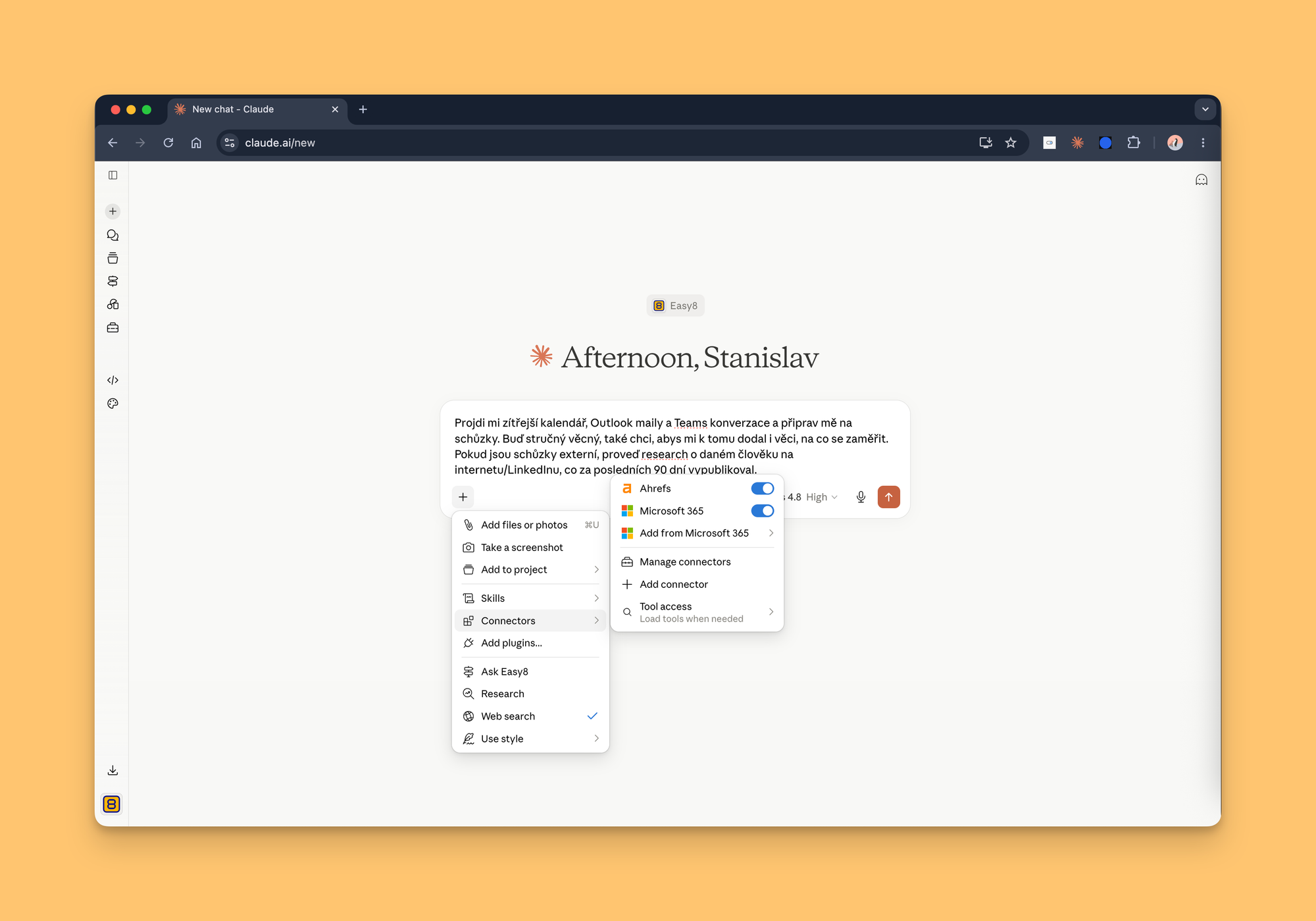
You're a salesperson getting ready for meetings. You have Outlook or Gmail, and a CRM like HubSpot or Salesforce. Before the real work starts, you need to look up the client, read the latest emails, check the calendar, and try to remember whether they asked you for something last time. Lots of tools, lots of clicking. With a context layer, you ask once: "What's on my plate tomorrow? Prep me for my meetings." And you get a brief pulled from email, chats, the web, your CRM, and your calendar, all in one place. Prep that used to take half an hour now takes a few minutes.
Management
Full disclosure: I'm not a manager, but let me sketch the idea. Every week, month, or quarter, someone reviews the performance of a team or the whole company. Some companies have BI reports in Power BI; others simply build them in Excel (yes, still alive and kicking, and it handles almost anything). And if your data is a mess because you slept through the last few years of the data revolution? Good news: today's AI can handle poorly structured data too. Petr Kasa described in an interview on the Scaleupboard channel (in Czech) how he shovels data into AI and lets it chew through it.
How to start? Level #1
Let me describe the most popular route companies take when they want to let AI loose on their projects and processes. It's called Claude, by Anthropic. Yes, the rest of this article will be heavy on Claude: it's the tool I use daily and the one we build on at Easy8. The principle, though, applies across models.
1) Decide which model your company is betting on. Companies pick Claude Team, one company account for everyone. Why? If you run on Microsoft 365 or Google Workspace, both ecosystems have a ready-made connector you plug in with one click. That gives you the first building block of a work system without installing anything. Claude Team adds a range of other connectors and partially answers the security question too (see Anthropic vs. the US Department of Defense). You also stop people from working in tools that train on your data (typically free versions, or a "disable training" setting nobody ever turned on).
2) Every person needs a system so that both they and their AI agent can find their way around. Dušan Šenkypl of Groupon said more about this in an article about his AI work system (in Czech).
3) Everyone has to learn the tools. The best way is learning by doing. Claude currently comes in several flavors:
Claude.ai (web): the ChatGPT equivalent, AI in your browser.
Claude Desktop: an app for macOS and Windows. It ships with two sub-apps:
- Claude Cowork: works directly with your device and files, and feels much like the web app.
- Claude Code: Cowork on steroids. As the name suggests, you hand AI nearly unlimited power: building apps, running analyses, tackling complex tasks. Highly recommended.
Claude for Chrome (the official browser extension): an assistant that pops up as a side chat right on your open tab. It works with the page itself and clicks through the things a context layer can't reach (typically social networks or legacy systems).
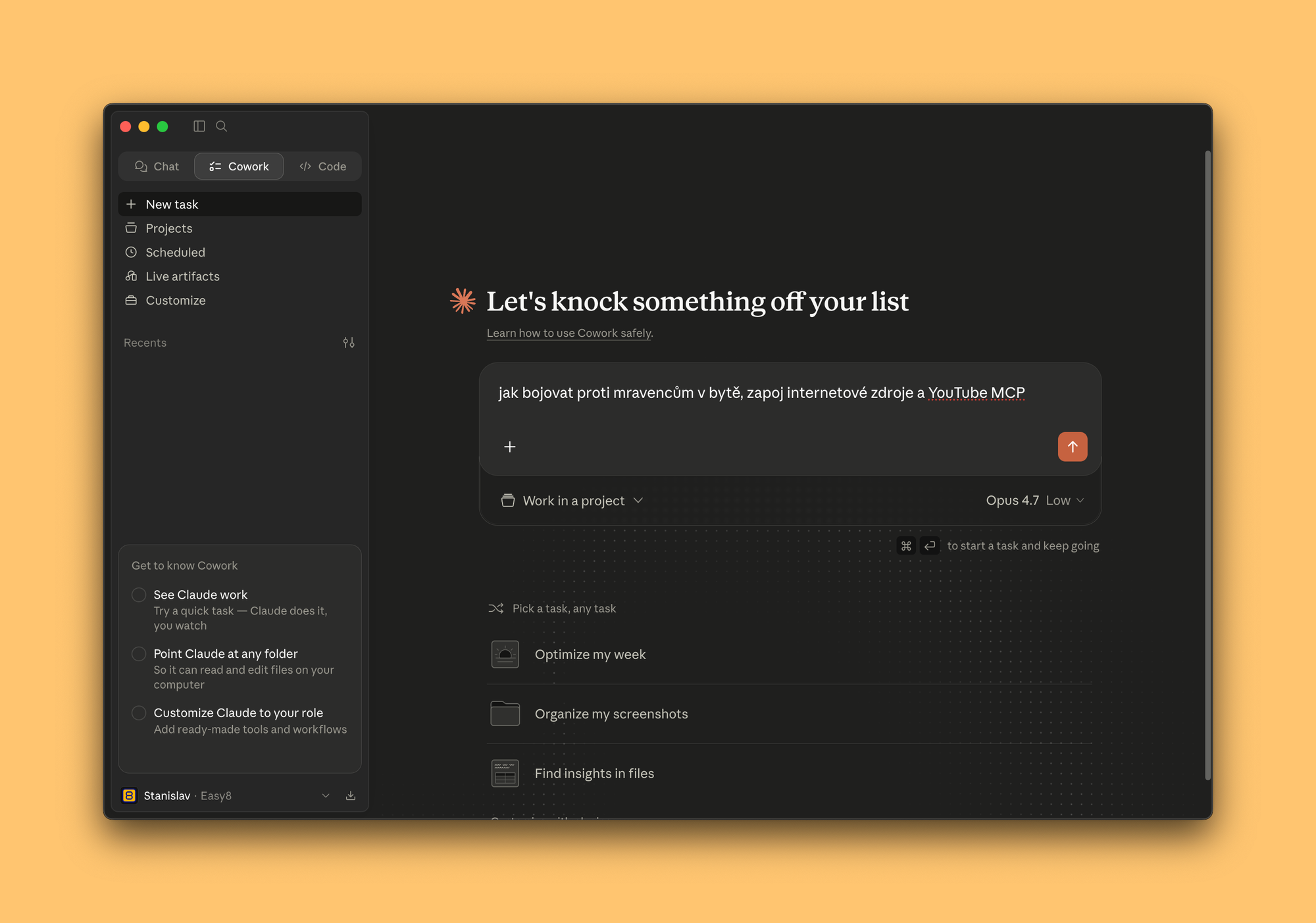
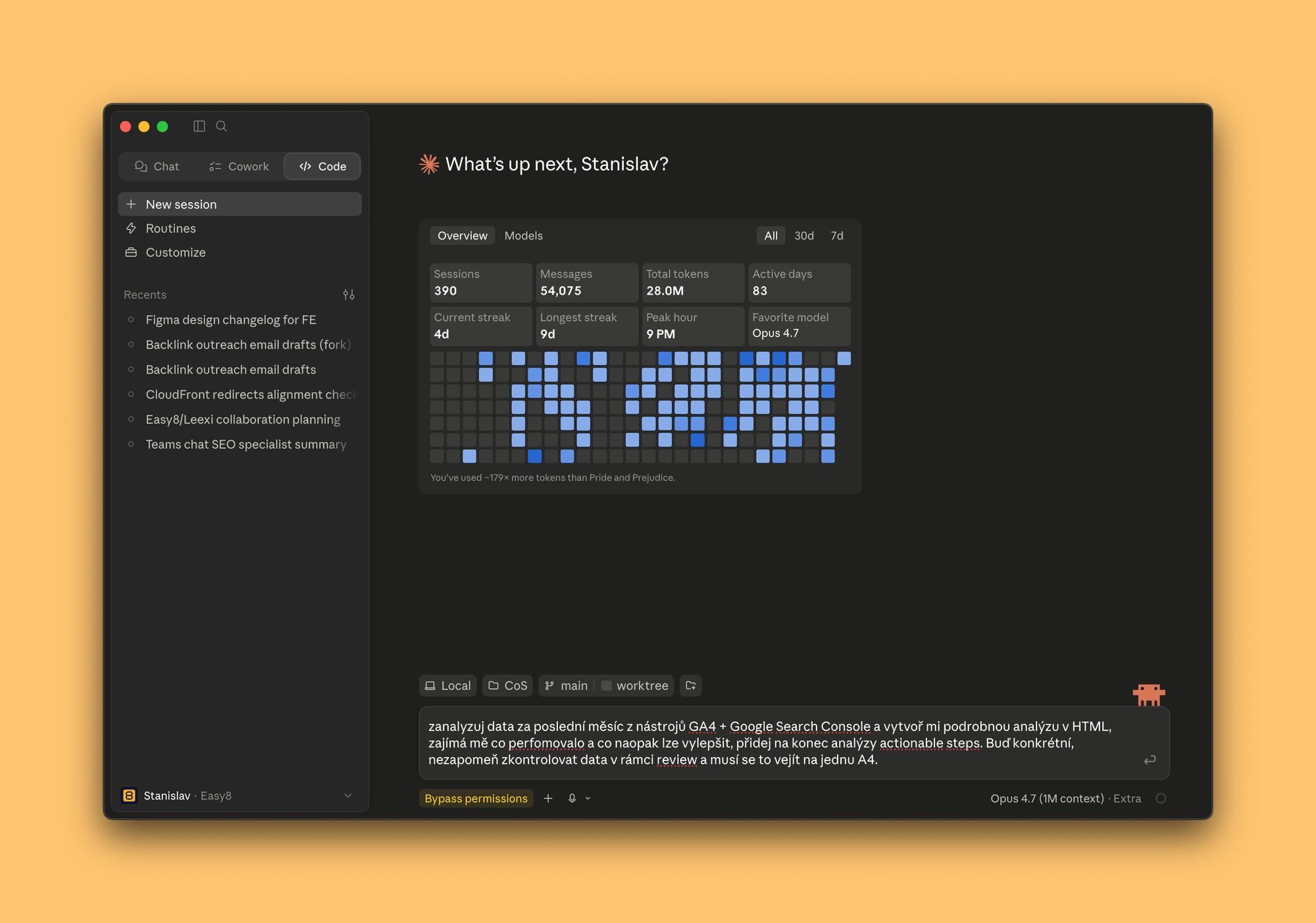
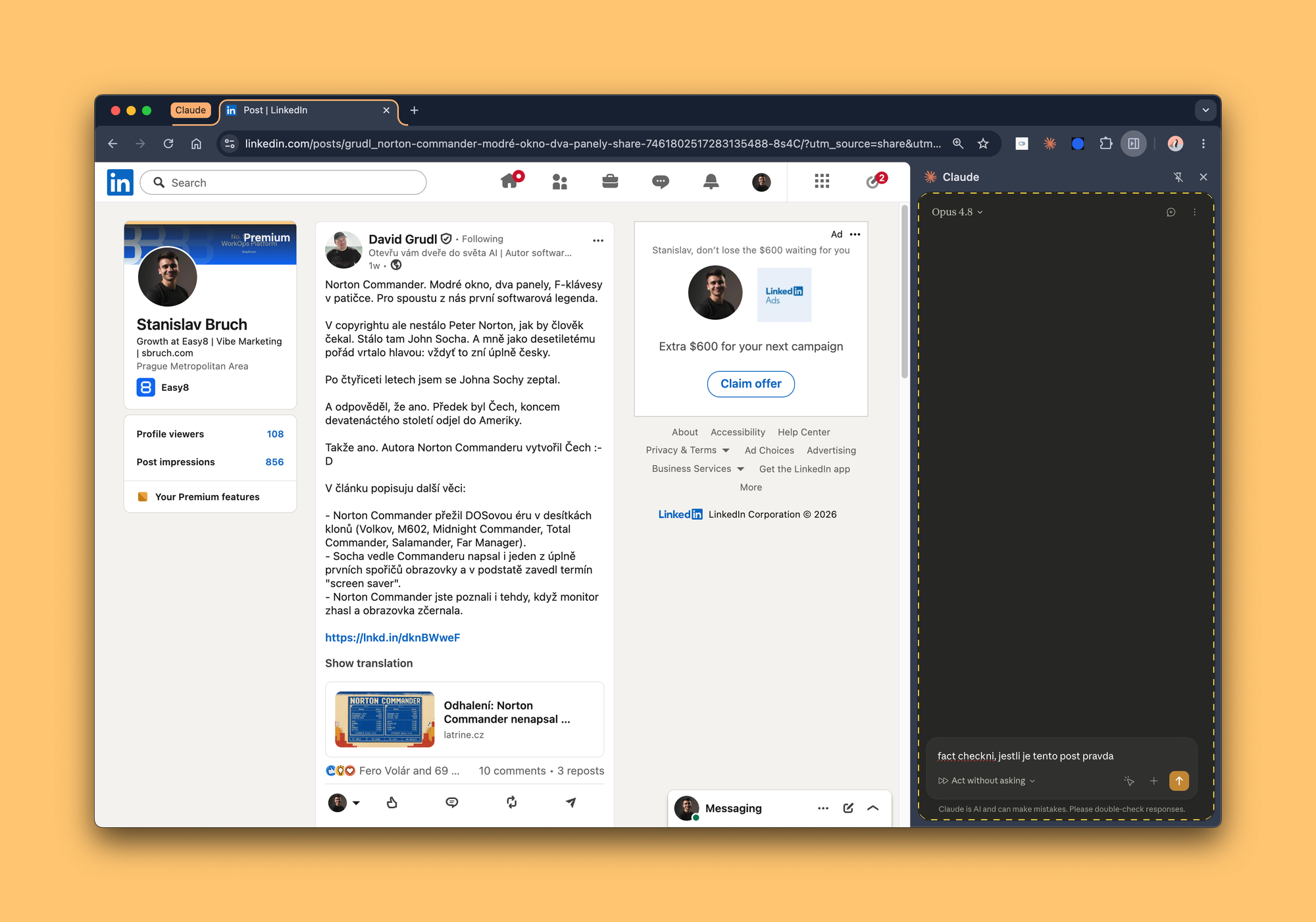
Claude.ai, Claude Cowork, Claude Code, Claude for Chrome: four Claude tools, each for a different use case.
What next? Level #2, for the advanced
This is where it gets interesting. Everyone needs to connect their company apps to their AI. Sometimes that's easy, sometimes it's a bit trickier. Let me describe a concept that helps a company build its context layer.
It's called an MCP hub: a central place for MCP connectors. Why? Connecting to a company system isn't always trivial; it takes either elevated permissions or admin know-how. When a company builds an MCP hub, it keeps control over credentials and permissions, and employees get ready-made connectors with a simple setup. Win-win. Here's a link to an open-source project.
The second piece of the puzzle is skills: think of them as recipes for a specific task or use case, shareable between colleagues as markdown (.md) files. If you don't have Claude Team, this is usually solved with a Git repository: push your skills to GitHub and share them with a colleague. Bonus: you get prompt versioning for free, and AI works beautifully with Git.
And what about security?
I have good news and bad news... it depends on how much you care and how sensitive your data is.
The bad news: the more sensitive the data, the more you have to deal with permissions, governance, and above all where and by whom your data gets processed. There's no way around this part, and in larger companies it takes the most time.
The good news: a context layer can be built independently of your choice of AI model. It's more work, but it can be done.
Now, by company size:
- 1 to 100 people: you'll most likely take the route I describe above.
- 100+ people: either Claude Team's security setup works for you, or you're eyeing other providers, be it Mistral AI or Microsoft Azure. The trade-off: they tend to be less user-friendly, and you lose some of the features Claude offers across its platform and apps.
Conclusion
Don't wait for a big project. Start small: connect one or two tools and set up your AI work system (your personal context) with a well-written prompt. Getting started takes two hours at most. Building out the full context layer is a continuous process after that. Connecting a single MCP server takes roughly 5 to 60 minutes, depending on the specific setup (treat these numbers as ballpark). The rest is iteration.
One fun fact to close. In five months, I've burned through 2.14 billion tokens in Claude Code. If I were to translate that into something tangible, speaking as a trained economist (rough math): that's about 21,400 books. Laid side by side, they would cover an area bigger than six football stadiums. Reading all that generated text would take a human 20 years, without coming up for air.
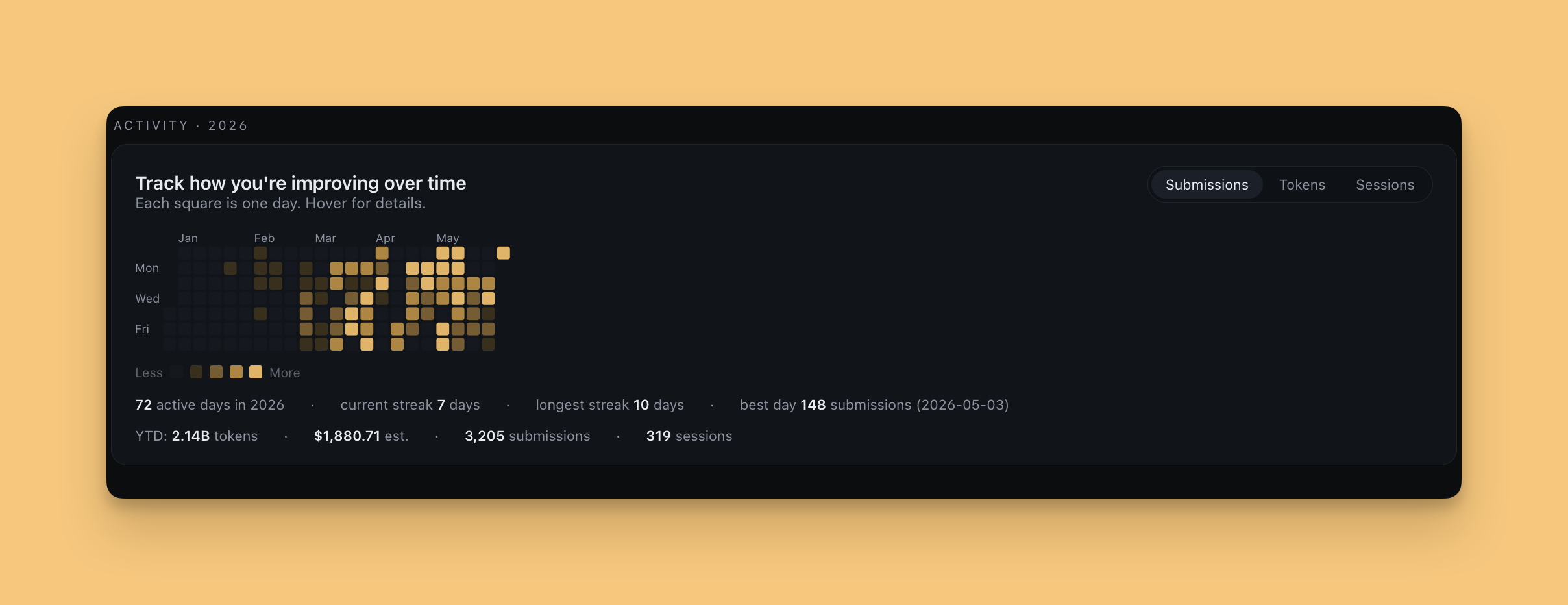
What a fascinating time to be alive.
Building a context layer at your company and want to compare notes? Message me on LinkedIn. I'll gladly share the exact prompts Dušan Šenkypl mentioned at an AI conference, plus tips for setting up your own AI work system. Speaking from my own experience: it works.